VestaSync is a small Windows application to install on your studio computer. It automatically downloads your segments — the account's automatic segments and radio PAD segments (ready to broadcast) — and places them in a folder of your choice, in MP3 format.
You will find it in the "Tools" > "VestaSync" menu. It is the only place in VestaRadio where you install software on your own machine: everywhere else, everything happens in the browser.
A second access point exists for "Radio Segment" subscribers: the /dashboard/chroniques-pad page has a "VestaSync" tab (licence and access key, in compact form) and an "SFTP Access" tab. Both pages control the same licence and the same key: what you generate on one side is visible on the other.

VestaSync operates with a lifetime licence, for a one-time payment of €90, with no additional subscription. The button at the top of the page reads "Activate licence — €90" and takes you to the secure payment page.

The API key is what links the application to your segments. There is one key per account.
Radio Soleil has just paid for the licence and is preparing the installation on the studio PC. Everything is done in the same tab, without closing it.
Why: the full key appears only at that precise moment. After a page refresh, only the beginning and end are shown, with the "active" badge — the rest is permanently hidden.
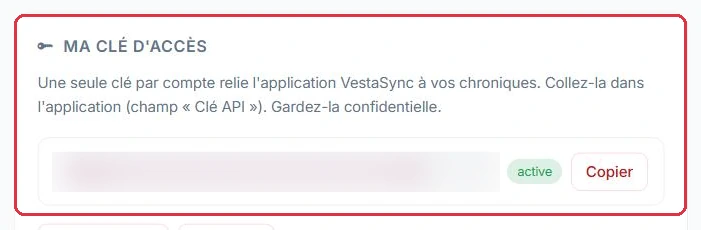
Two buttons are located below the key:
The "Usage statistics" section helps you monitor key usage: "Total calls", "Last 7 days", "IP addresses" and "Last call", with details of the IP addresses that have connected.
The technician at Studio Nova has left the station and no one noted down the key. It is no longer readable in full on the page: it must be replaced.
Before regenerating, check the IP address table: if only the studio\'s address appears, the key has not been shared — it is simply a case of loss.
Why: there is no key recovery option; regenerating is the only way out. But the old key stops working immediately: paste the new one straight away, otherwise the next morning\'s sync will retrieve nothing.

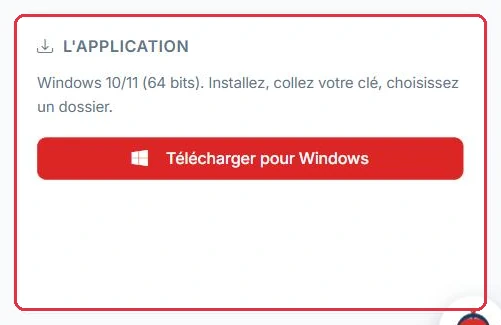
The "The application" section specifies the required configuration: Windows 10/11 (64-bit). The summary is straightforward: "Install, paste your key, choose a folder."
There is nothing else to configure: the server address is fixed and the application only requires these two pieces of information.
Full installation on Radio Soleil\'s broadcast PC, running Windows 11, in four steps.
D:\Radio\Chroniques
The folder is on the D: drive, which already holds the music library: plenty of space, and a path the automation system can read.
Why: choosing the Desktop or a cloud-synced folder is the classic mistake. The MP3s arrive correctly, but the automation system cannot see them, or sees them twice during the cloud sync.
Automatic synchronisation is active by default, every 5 minutes. As soon as a new segment is available on your account, it is downloaded automatically.
The "How it works" summary at the bottom of the page outlines the process in four steps: generate the key, install VestaSync and paste the key, choose the destination folder, let the automatic sync do the rest.
Still at Radio Soleil: rather than waiting for the 5-minute cycle, we click "Synchronise now" straight away, then open D:\Radio\Chroniques.
The folder contains one MP3 per segment available on the account, named after its title: the Weather, the Horoscope, the News Flash, plus the PAD segments included in the subscription. Everything is placed flat, in that single folder.
The next day, only new segments are added: files already present are not downloaded again.
Why: this first manual sync serves as a test. If the folder remains empty, the key or the folder is the issue — you see it immediately, not the following morning at 6 a.m. before the first bulletin.
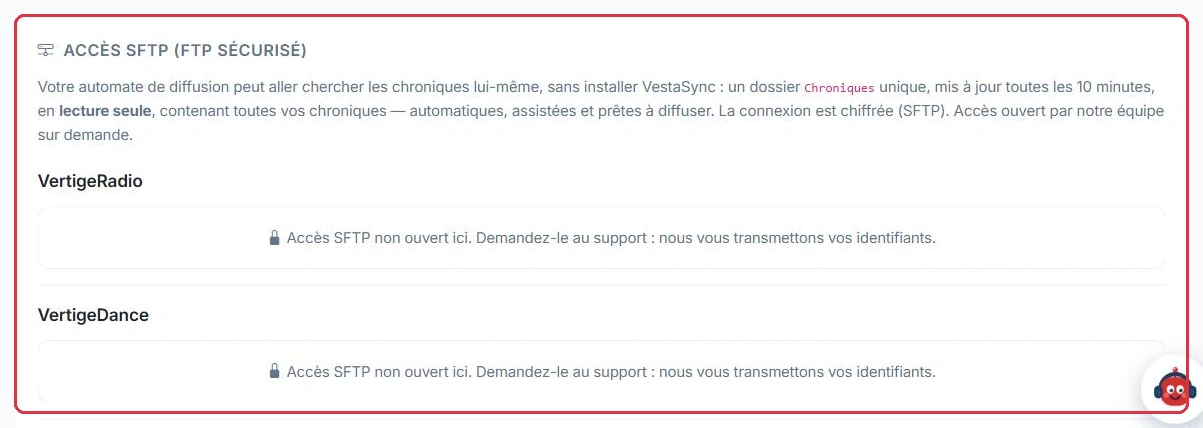
If you prefer your broadcast automation system to fetch the files itself, without installing VestaSync on a PC, use the "SFTP Access (Secure FTP)" section.
This access is not self-service: it is opened by our team upon request. Until it is, the page displays "SFTP access not yet enabled. Request it from support: we will send you your credentials."
Ambiance FM broadcasts from an automation system installed on a server, with no screen or permanent Windows session. Installing VestaSync would not make sense: the automation system is connected via SFTP instead.
Chroniques
Copy the "Host", "Port", "Username" and the password displayed only once, then set the folder to be read every 10 minutes, in line with its update frequency. Files in the folder have a stable name, such as Meteo-du-jour-auto1842.mp3.
Why: this name never changes, even if the segment is renamed in the catalogue — so the automation system never imports the same item twice. And since the folder is read-only, no accidental action by the automation system can delete your segments.