
One subscription per radio station, your options and your invoices
The "Subscription" page brings together everything related to the billing of your radio stations: the status of each subscription, available plans, options, payment methods, invoices and cancellation.
You can access it from the profile menu, at the bottom of the sidebar, then "Subscription". The "My invoices" shortcut in the same menu takes you directly to the invoices table.

VestaRadio operates on a multi-subscription basis: each radio station in your account has its own subscription, its own plan, its own options and its own renewal date. Subscribing for a second radio station does not cancel the first.
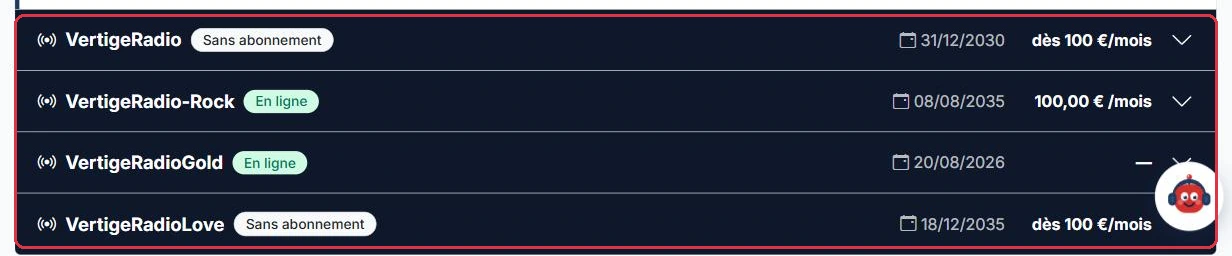
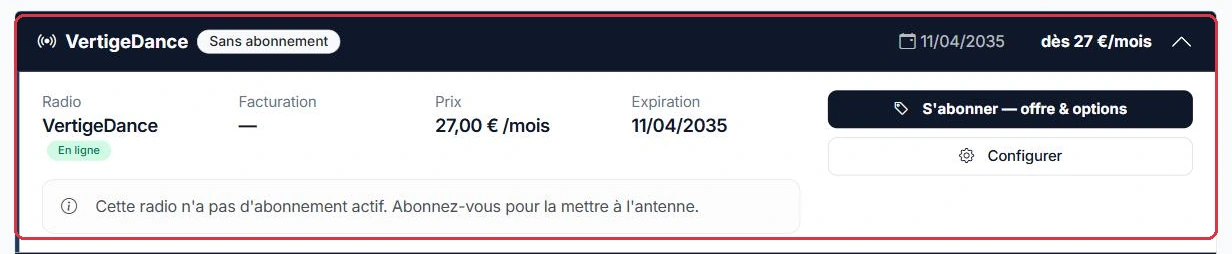
The "Your radio stations" block displays an accordion with one row per radio station. Click on a row to expand it. The header already gives you the essentials: the name of the radio station, a status badge, the renewal date and the amount.
The possible status badges are:
Once expanded, each radio station displays "Radio", "Billing" (Monthly or Annual), "Price", then "Renewal" or "Expiry", a "Current period" progress bar with the days remaining, the "Included in the plan" list and the "Active options".
The same account manages Radio Soleil, on air for six months, and Studio Nova, paid for last week but not yet set up. The "Your radio stations" block displays two rows:
Click on a row to expand it: "Included in the plan", "Active options" and the "Current period" bar are specific to that radio station.
Why: the two subscriptions are completely separate. Cancelling Studio Nova does not affect the plan, renewal date or options of Radio Soleil.
The "Add a radio station" button, at the top of the "Your radio stations" block, opens the "Choose a plan" modal. It contains the "Our webradio plans" catalogue.
If you start from an existing radio station (buttons "Subscribe", "Reactivate this radio station", "Activate my subscription" or "Choose a different plan / options"), the modal opens with a banner reading "Subscription for radio station: …". The payment is then linked to that radio station. The "Cancel — create a new radio station" button removes this targeting and switches to creating an additional radio station.
Ambiance FM was cancelled last year. You want to put it back on air, not create an additional radio station.
Why: it is the banner that links the payment to the existing radio station and restores its settings. If you had started from "Add a radio station", you would have paid for a second subscription for an empty radio station.
Below each plan, the "Payment method" drop-down menu offers:
The note "No commitment · Cancel at any time" appears below each button.
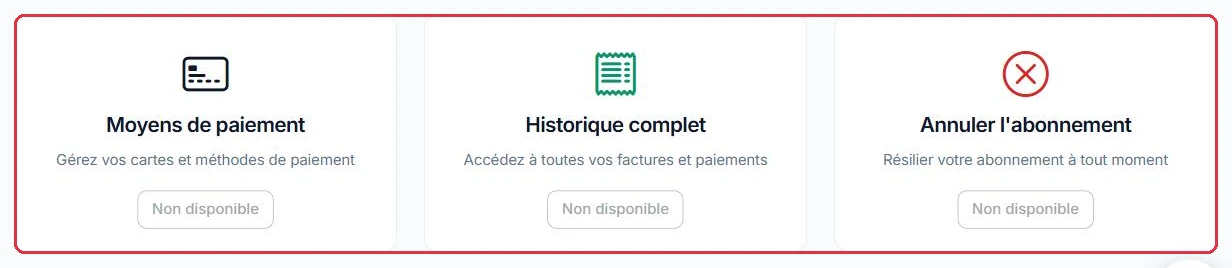
Once a card subscription is in place, the saved card is displayed in the "Payment method" block of the relevant radio station, and the "Manage on Stripe" button (or "Manage on Stripe" at the top of the page) opens the billing portal to change your card or view the full history.
The trial lasts 7 days and requires no credit card. It is offered in the "Payment method" menu only if both conditions are met:
During the trial, the radio station displays the "Free trial" badge and the amount is replaced by "Free trial". Two buttons are available: "Activate my subscription" (immediate switch to the current plan, on a monthly basis) and "Choose a different plan / options" to change plan at the same time.
Radio Soleil has been on trial for 5 days: 2 days remain, and the radio station is already broadcasting.
Why: the trial lasts 7 days and cannot be renewed — one trial per account, for life. Paying during the trial prevents the stream from stopping on day 8. If you want to take the opportunity to switch to a different plan or add options, use "Choose a different plan / options" instead.
The "My invoices" table lists your 20 most recent invoices with their number, date, amount, type ("Subscription" for a recurring amount, "One-time" otherwise) and status: "In preparation", "To pay" or "Paid".
When an invoice is awaiting payment, an alert banner is displayed at the top of the page showing the number of pending invoices and a "Pay invoice …" button linking to the oldest one.
Further down, the "Invoices" card for each radio station lists the invoices issued by the payment system for that specific subscription, with a PDF download link.
A bank transfer never arrived: the corresponding invoice remains at "To pay" status and a red banner is displayed at the top of the page.
Why: the banner always points to the oldest invoice, the one blocking everything else. And since the payment link is regenerated on every click, you will never land on an expired link.
After payment, you are returned to the "My invoices" table with a message: payment recorded, or payment abandoned (the invoice remains "To pay"). The "Pay" button also rejects certain cases with an explicit message: invoice not found, already paid, cancelled, or zero amount.
On a radio station with an active paid subscription, an "Add options" block lists the options available for your plan that are neither included nor already active.
These options are billed on a pro-rata basis, up to the end of the current subscription period, in a single payment. The calculation is straightforward:
The "Add selected options" button remains disabled until at least one option is ticked, then displays the number of options and the amount. A confirmation is requested before payment.
Once paid, the option is active until your subscription renewal date, then renewed along with it.
Radio Soleil is paid up to 15 April. Today is 20 January and you want to activate an option mid-period.
The monthly price of an option depends on your subscribed plan: read it below the option, where it is shown with its calculation.
Why: the option ends on exactly the same date as the subscription, then is renewed along with it. You are never left with two offset billing schedules.
When the storage gauge approaches 90%, the "Add storage" button on the "Storage" page takes you directly to this block. Four tiers are available, billed on a pro-rata basis like other options and then renewed with the subscription:
The tiers are cumulative, including across multiple radio stations on the same account: two radio stations each with "+8 GB" give a total of +16 GB on the shared pool. The total quota displayed on the "Storage" page then reads "X GB included in your plan + Y GB from options".
On a radio station whose paid subscription is charged online, the right-hand column offers the "Change plan" button. The "Change plan" modal shows at the top "Radio station: …", "Current plan: …" (monthly or annual billing) and the renewal date, then displays the catalogue with the "Monthly" / "Annual" selector. The current plan carries the "current" badge.
Before confirming, a summary box shows the amount (options included), the options added and removed, and then the effective date:
Confirm with "Confirm change" (the button shows "No change" as long as nothing differs from your current situation).
A scheduled change is then displayed in the radio station\'s accordion: "Plan change scheduled: switching to … on …", with the reminder "You keep your current plan and all its features until then", the list of "Option(s) that will not be renewed" and the "Cancel this change" button. If you reopen the modal, it warns: "A change is already scheduled: confirming here will replace it."
Radio Soleil is paid up to 15 April on a monthly plan. Two decisions, two timelines.
Why: an upgrade takes effect immediately because you pay the difference; a downgrade waits until the renewal date because the current period has already been paid — you never lose a service you have paid for.
In the "Active options" block, each paid, non-included option has a "Remove" link. A confirmation explains what will happen, and the removal is then scheduled.
The removal takes effect at the end of the already-paid period:
The removed option then displays a "Removal scheduled — active until …" badge accompanied by a "Restore" link. As long as the renewal date has not passed, this link cancels the removal: the option returns to normal renewal, with no additional charge.
Radio Soleil is paid up to 15 April and has the "Radio Website" option at €9/month. On 20 January, you click "Remove".
Why: cutting the option immediately would mean losing a service you have already paid for. Removing it at the renewal date aligns the end of the option with the end of the paid period.
Cancellation is done radio station by radio station. Expand the relevant radio station, then use the "Cancel this radio station" button in the right-hand column. A confirmation reminds you that the radio station remains active until the end of the current period.
After cancellation, the radio station switches to "Cancellation scheduled" and a box shows "Cancellation scheduled on …", with a "Reactivate" link that opens the billing portal.
Your other radio stations are not affected: their subscriptions continue normally.
Depending on the status of the radio station, the message displayed in the accordion and the actual consequences differ:
In all three cases, the radio station\'s action button takes you back to the plan catalogue, and broadcasting resumes immediately once payment is confirmed.
Ambiance FM completed its free trial without subscribing.
Why: during these 30 days, music, jingles, playlists and presenters are still there: a payment puts the station back on air without having to rebuild anything. After this period, everything has to be started from scratch.