This is the single entry point for reaching the VestaRadio team: phone, WhatsApp, email, chat, and a contact form. Its subtitle says it all: "Our team is here to help you".
You can access it via the account menu, in the top right corner, under the "Support" entry.
Good to know:
This page remains accessible even without an active subscription. If your access is blocked elsewhere on the platform, you can always contact us from here.
The header of the Contact and Support page Click to enlarge
The four contact cards
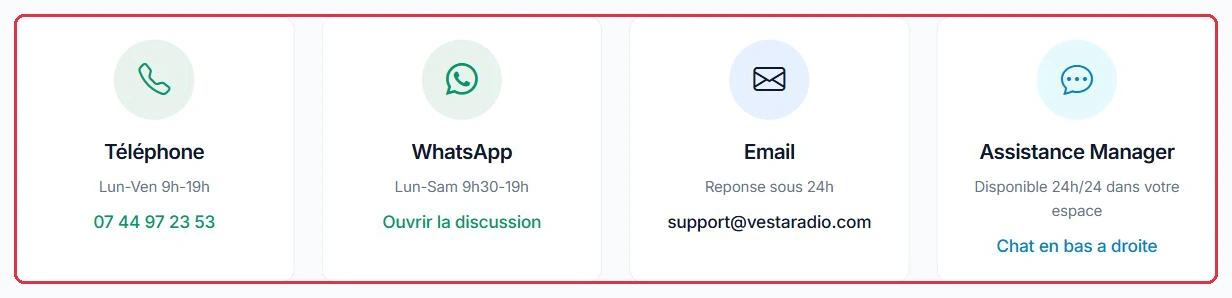
At the top of the page, four cards offer four different channels.
"Phone" — Mon–Fri 9am–7pm — 07 44 97 23 53.
"WhatsApp" — Mon–Sat 9:30am–7pm — the "Open chat" link points to https://wa.me/message/6BBDFNSDX42CG1 and opens in a new tab.
"Email" — Response within 24 hours — support@vestaradio.com.
"Manager Assistance" — Available 24/7 in your space — this is the chat in the bottom right of your screen.
Tip:
WhatsApp is open on Saturdays, unlike the phone line. For a question that comes up at the end of the week, it is often the fastest channel.
Example
Three common situations, three different channels.
Saturday 11am, the broadcast is silent. The phone line is closed (Mon–Fri 9am–7pm): use WhatsApp, open Mon–Sat 9:30am–7pm.
Tuesday 3pm, an invoice to understand. The form, subject "Billing": the request arrives in writing, your account is identified, and the reply comes back by email.
A setting you cannot find. The chat in the bottom right, available 24/7: the automated assistant handles this type of question straight away.
Why: the fastest channel depends on the time and the subject. A broadcast emergency at the weekend has no place in a form.
Phone, WhatsApp, email and Manager Assistance, with their opening hours Click to enlarge
The "Send us a message" form
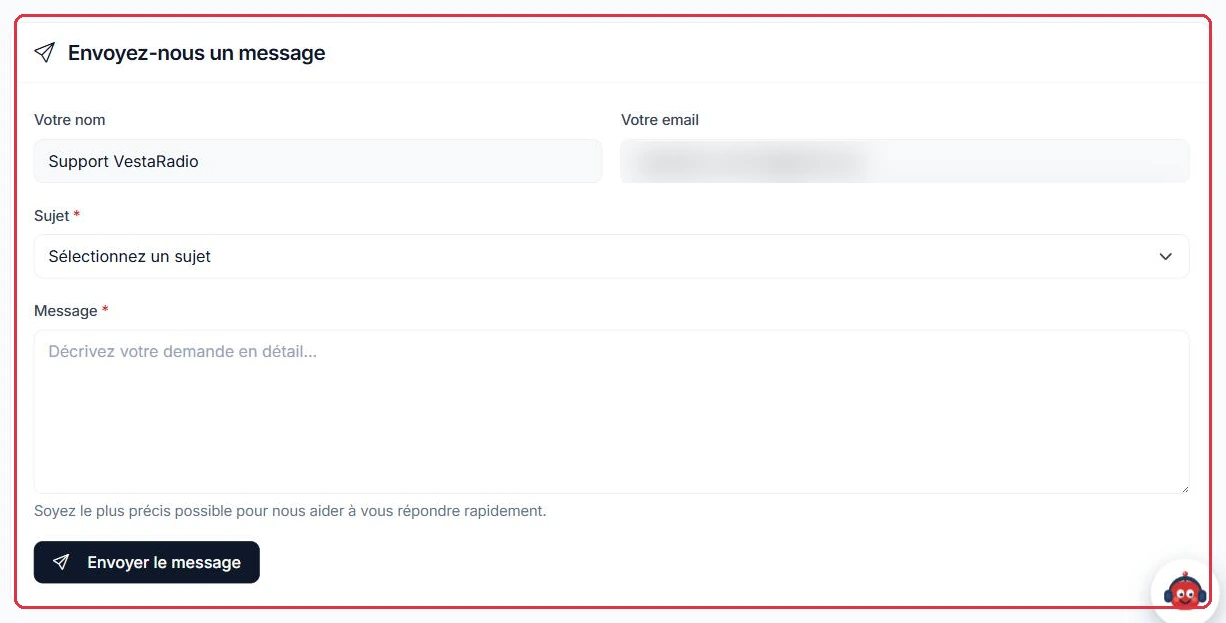
Below the cards, a form lets you write directly to the team.
"Your name" and "Your email" are pre-filled and cannot be edited: these are your account details.
"Subject" — required, to be chosen from the list: "General question", "Technical issue", "Billing", "My account", "Suggestion", "Other".
"Message" — required. It must contain at least 10 characters, otherwise the message "The message must contain at least 10 characters." is displayed.
The field reminds you to be "as precise as possible to help us reply quickly". Submit with "Send message"; a green banner then confirms that the message has been sent.
Good to know:
Our reply is sent to the email address on your account. If you receive nothing, check your spam folder and the address registered under "Settings".
Example
Subject "Technical issue", and a message you can copy as-is:
"Radio Soleil. Since this morning at around 8am, the stream cuts out every ten minutes and then comes back on its own. Page affected: the dashboard. Message displayed: 'Radio offline'. Tested on two browsers and from a phone on 4G, same result."
By contrast, "it\'s not working anymore, please take a look" passes the 10-character minimum validation, but triggers a back-and-forth to find out which radio and which page you are referring to.
Why: radio name, start time, page affected, exact message. With these four elements, the request is handled on the first attempt.
Name and email pre-filled, subject to choose, message to detail Click to enlarge
The chat: the Vesta Agent, in the bottom right
A floating button featuring the mascot is present in the bottom right of every page in your space, with the prompt "Need help?". One click opens the "VestaRadio Assistant" panel, subtitled "Your assistant — AI". This is the only chat on the platform: the assistant\'s replies, support messages, and service notifications all arrive in this same thread.
When opened, the assistant greets you and offers three shortcuts: "Create a playlist", "Manage my radio", "I have a question".
Type your question in the "Type your question…" field, then send it using the arrow button. A message cannot exceed 2,000 characters: beyond that, input stops — split it into several messages.
The "Expand" button in the header stretches the panel to the full height of the screen; "Collapse" returns it to its normal size. This preference, along with the recent conversation history, is remembered from page to page.
Each participant is identified: "Vesta Assistant" for the AI, "VestaRadio Support" for an advisor, and "Information" for a service message.
The assistant does more than answer questions: it knows the documentation and the state of your account, guides you step by step, and can act on your behalf. It creates draft playlists (with no effect on air until you activate them) and launches AI generations — jingle, feature, spot, voice, podcast — letting you choose the voice (with a preview), the tone, the background sound, and the category. These generations consume your credits just as they would from the Production menu; the estimate is displayed before launching.
Each action carries a status: "In progress", "Applied", "Awaiting your response", "Forwarded to an advisor", or "Not applied — nothing has changed".
Good to know:
The panel is displayed for all logged-in accounts, including administrators. The "Messaging" page in the profile menu keeps the history of exchanges with the team, but it is from the Vesta Agent panel that you write to them.
Example
You want to paste a long error log into the chat: input stops at 2,000 characters.
1st message: the context→2nd message: the raw error→"Expand" to review the thread
You can close the panel: the support replies will be waiting in the thread the next time you open it.
Why: two readable messages are better than one truncated block, and the expanded panel keeps the entire history in view when an exchange goes on for a while.
The "Manager Assistance" card links to the chat, in the bottom right of the screen Click to enlarge
AI assistant, level 2, then a human advisor
When you write, it is first the AI assistant that replies, immediately: settings, how a page works, common errors. If your request falls outside its scope, it hands over without any action on your part, and the message carries the status "Forwarded to an advisor".
Three levels take turns in the same thread:
the AI assistant — instant response, common questions;
level 2 — a more resourced agent who consults the documentation and the technical state of your account before replying. Their replies appear under the name "VestaRadio Support". Sensitive subjects (billing, refunds, cancellation, disputes, personal data, high-risk broadcast settings) are never handled without human review;
a human advisor — they pick up the case exactly as you described it and reply in this same panel. The banner "A VestaRadio advisor is following your case and will reply here." then appears at the top of the thread, and the AI assistant steps back.
You can also force a handover to a human at any time using the "Talk to a human" link below the input field.
Tip:
Provide the name of your radio, the page affected, and, if you have one, the exact error message right from the start. The assistant resolves far more cases when the question is precise — and the human advisor saves a round trip.
Good to know:
A conversation with no activity for 7 days is archived automatically, unless it is still awaiting a reply from the team. Nothing is lost: if you write again, it reopens with its history intact.
Example
The same question, asked in two different ways, produces very different results.
"My jingle isn\'t playing." The assistant has to ask which of your radios, which jingle, and where you placed it: three back-and-forths before even getting started.
"Radio Soleil: the jingle \'Top of the hour\' is in my productions, I added it to the Daytime Rotation playlist, but it never plays on air." The assistant has the radio, the production, and the page: it replies on the first message, or hands over with the case already fully documented.
Why: you do not have to restate your question when level 2 or an advisor takes over. What you wrote at the start is exactly what they will read.
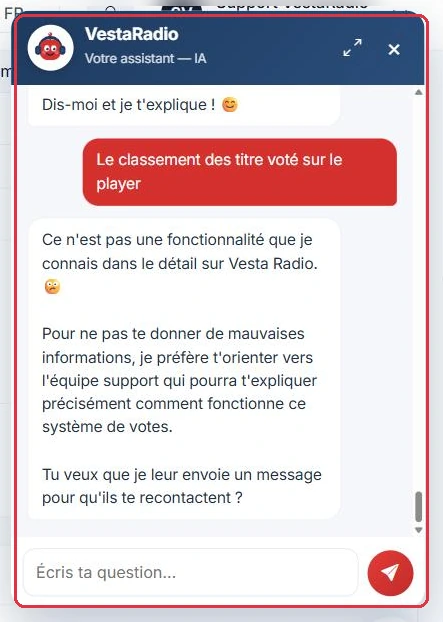
When the assistant does not know, it offers to forward the question to the team Click to enlarge
Before writing: useful links
The bottom of the page offers three shortcuts, under the heading "Useful links":
"FAQ" — "Answers to frequently asked questions".
"User guide" — "Learn how to use the platform".
"Video tutorials" — "Step-by-step visual guides".
Many questions find an immediate answer there, without having to wait.
The three shortcuts: FAQ, user guide and video tutorials Click to enlarge