A background sound is the music that plays beneath a voice: under a spot, a jingle, a voice track, a feature or a podcast. This page lets you import your own backgrounds, in addition to the VestaRadio library.
You access it via the "Tools › Background Music" menu in the sidebar. The page itself is titled "My Background Sounds".
It consists of two sections: on the left, "Add Background Sounds", and on the right, the "My Background Sounds" list.
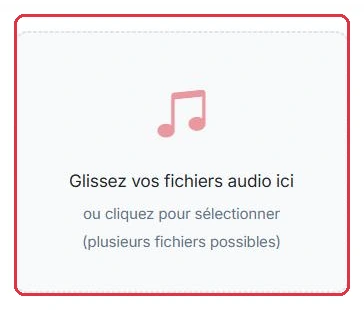
The "Drag your audio files here" area supports drag-and-drop or click-to-select, allowing you to choose multiple files at once.
The "Upload" button remains disabled as long as no file is selected, or if your quota has been exceeded.
Radio Soleil receives a pack of three files from a composer and uploads them all at once.
soleil-jingle-court.mp3, 12 s — stored as-is.soleil-tapis-info.wav, 45 s — converted to MP3 44.1 kHz stereo upon upload.soleil-chill-long.mp3, 3 min — stored as-is.The AIFF file included in the same folder is rejected with "Unsupported format": it must be converted to MP3 or WAV before uploading.
Why: importing all three durations at once immediately covers jingles, spots and features. As you will see below, it is the duration, and only the duration, that determines what will be offered to you.
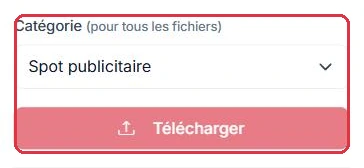
The "Category" menu applies to all files in the current upload. It offers two groups.
The "Production Types" group:
The "Background Sounds" group:
Also available are "Other" and "+ New Category...", which reveals a "Category Name" field for creating your own.
Since the category applies to the entire upload, Radio Soleil organises its library across three separate uploads rather than one.
For the branding of a specific programme, they choose "+ New Category..." and enter Matinale in the "Category Name" field.
Why: uploading everything in one batch would force all files into the same category. Three uploads take thirty seconds and give you three usable filter buttons afterwards.
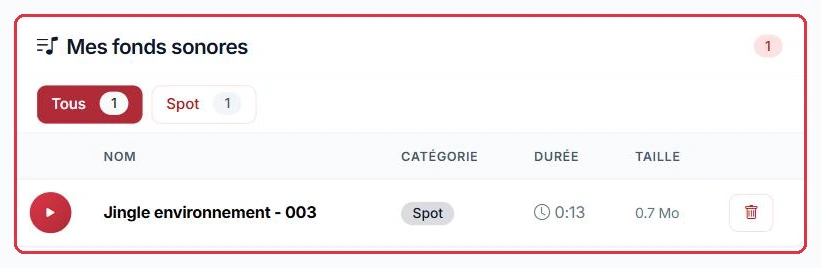
The list on the right displays the columns "Name", "Category", "Duration" and "Size".
Until something has been imported, the page displays "No background sounds".
Radio Soleil needs to free up space and spots a duplicate among its beds.
Sorting is done by ear, not by file name: two files named tapis-info-1.mp3 and tapis-info-v2.mp3 may be two entirely different tracks.
Why: deletion is permanent. If the background was used beneath a spot currently being broadcast, you will no longer be able to regenerate that spot with exactly the same sound design.
Below the upload button, a gauge shows the space used by your background sounds and the quota allocated by your plan.
This is the most frequently asked question. When you create a production, the "Choose a background sound" selector filters backgrounds by duration, based on the type of production. A background that is too short or too long simply does not appear.
The thresholds applied are as follows:
The selector header shows the active filter, in the form of the number of compatible backgrounds followed by the applied constraint, for example "Spots (10-60s)". If nothing passes the filter, the message "No background sound compatible with this production type" is displayed.
Let us look at the three backgrounds imported by Radio Soleil and see where each one appears.
soleil-jingle-court.mp3, 12 s — visible for a jingle (≤ 20 s) and for a spot (10-60 s). Not available for features or podcasts.soleil-tapis-info.wav, 45 s — visible for a spot, a voice track and a feature (≥ 30 s). Not available for jingles.soleil-chill-long.mp3, 3 min — visible for a feature and a podcast (≥ 60 s). Not available for jingles, spots or voice tracks.The classic scenario: Radio Soleil creates a jingle, looks for its soleil-chill-long.mp3 and cannot find it. The selector header displays "Jingles (≤20s)" — the file is 3 minutes long, so it is excluded.
Why: a 3-minute background beneath an 8-second jingle would only play its first eight seconds, which are often a featureless intro. The filter saves you from making that poor choice.
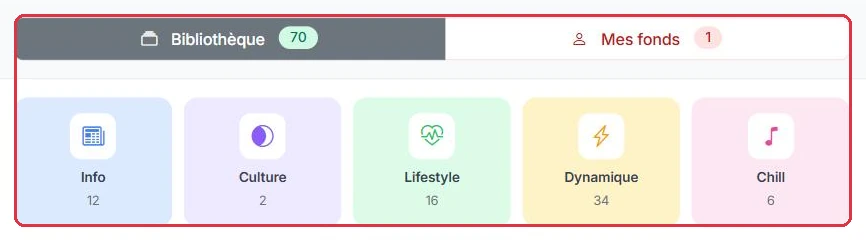
In the "Choose a background sound" selector, a toggle button switches between "Library" and "My Sounds", each with its own counter.
Ambiance FM has not yet imported anything and builds its week using the library alone.
Why: the voice track already plays between two songs; adding music would create a second layer on top of the track currently playing. The other four, however, are broadcast in isolation and need a musical bed.