
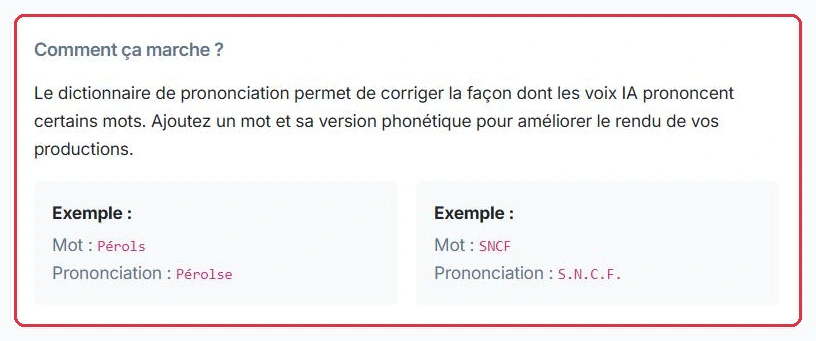
The dictionary is your personal pronunciation lexicon. It replaces a word with a phonetic spelling in order to correct the text-to-speech voice, which sometimes stumbles over proper nouns, acronyms, or local words.
For example: "Pérols" becomes "Pérolse", or "SNCF" becomes "S.N.C.F." so that it is spelled out correctly.
This feature requires the "dictionary" permission. You can find it in the Production > Dictionary menu.
Radio Soleil broadcasts the local community agenda every morning. A single entry resolves the issue for all future productions.
You continue to write Pérols normally in your texts: the replacement happens at the time of playback, not in what you write.
Why: correcting the spelling directly in each spot would need to be redone with every production, and would leave visible errors in your archived texts.
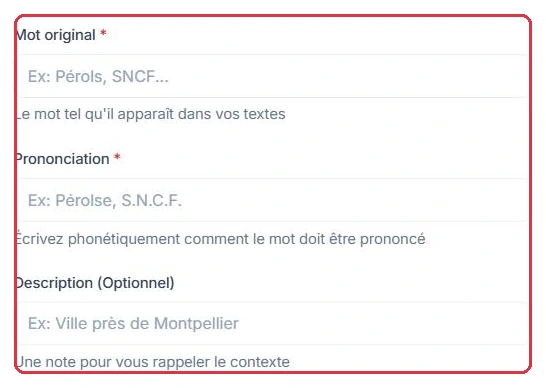
Click "Add a word" to open the modal. Fill in:
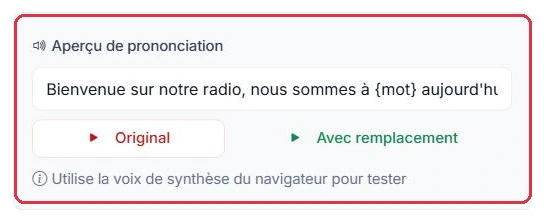
A "Voice preview" area provides a test sentence and two buttons, "Original" and "With replacement", to compare the result. This preview uses your browser's text-to-speech engine.
Studio Nova creates its first three entries, one from each category. Here is exactly what is entered, and what is heard.
Pérols — "Pronunciation": Pérolse — "Description": Town near Montpellier. On playback, the final "s" is pronounced instead of being swallowed.SNCF — "Pronunciation": S.N.C.F. — "Description": Always spelled out. On playback, the four letters are read individually instead of being pronounced as a word.replay — "Pronunciation": ripléï — "Description": English pronunciation. On playback, you hear "ripléï" rather than a French-style mispronunciation.Before saving, the voice preview reads the test sentence: "Original" lets you hear the error, "With replacement" lets you hear the correction.
Why: the dots in the acronym are what forces the letters to be spelled out; without them, the voice tries to pronounce it as a word. And the description will prevent you, six months from now, from deleting an entry whose purpose you have forgotten.
Your word list is paginated and includes a search function. On each row, you can:
The same word cannot be added twice: if you attempt to enter it again, the application will notify you.
Studio Nova finds that "ripléï" sounds too forced on air. The existing entry is edited rather than creating a second one.
replay→
Pencil icon→
Pronunciation: riplé→
Voice preview→
Save
Attempting to add a new replay entry would be rejected: the word already exists in your dictionary.
Why: the change takes effect immediately for all your future productions. You can adjust the spelling as many times as needed, without ever touching texts that have already been written.


The dictionary consumes no credits: the voice preview relies on your browser's built-in voice, not on the paid text-to-speech engine.
Studio Nova tries six spellings of replay in the voice preview before settling on one: 0 credits spent.
The same process carried out by generating six versions of a 30-second spot would have consumed six voice generations, at approximately 1 credit per 3 seconds of audio.
Why: the preview uses your browser\'s voice, not the paid synthesis engine. Fine-tune the spelling here, then generate the final production just once.