The "Team" page lets you create and manage sub-users. These members share the stations, playlists and productions of the main account, but with access restricted to the pages you select.
Good to know: this page is reserved for the main account. A sub-user cannot create other sub-users.
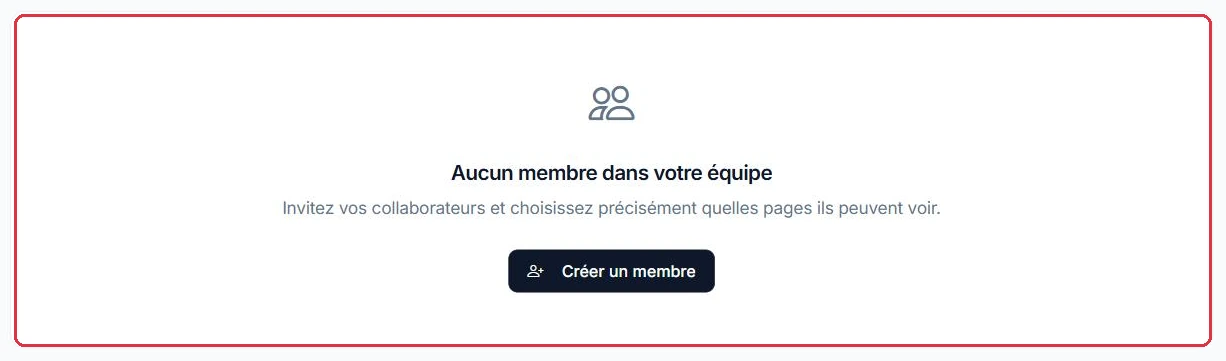
The header of "Team Management" and the "New member" button Click to enlarge
Where to find it?
Open the profile menu (at the bottom of the sidebar), then click "Team".
Adding a member
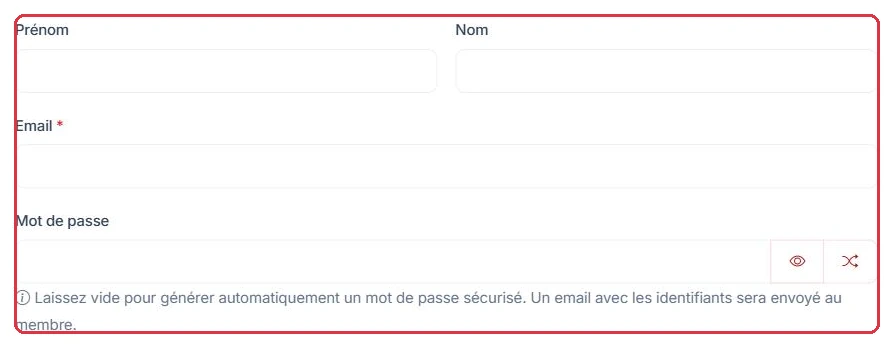
Click "New member". A modal opens with the following fields:
First name and Last name;
"Email" (required);
Password (optional): if left blank, it is generated automatically and sent by email. The field includes an eye button (show) and a dice button (generate a password).
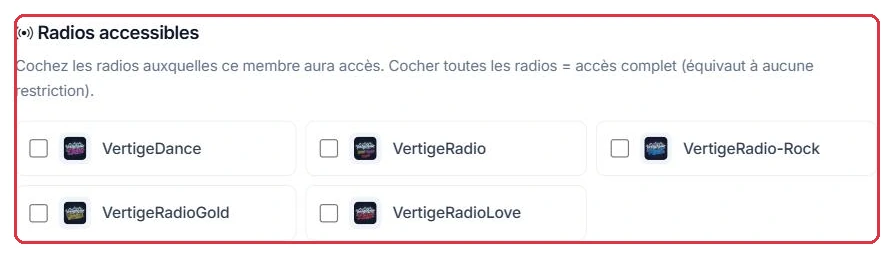
Choosing accessible stations
If your account manages more than one station, a selector displays one checkbox per station along with a "Select all" button. Checking no station — or checking them all — grants access to all stations.
Choosing accessible pages (permissions)
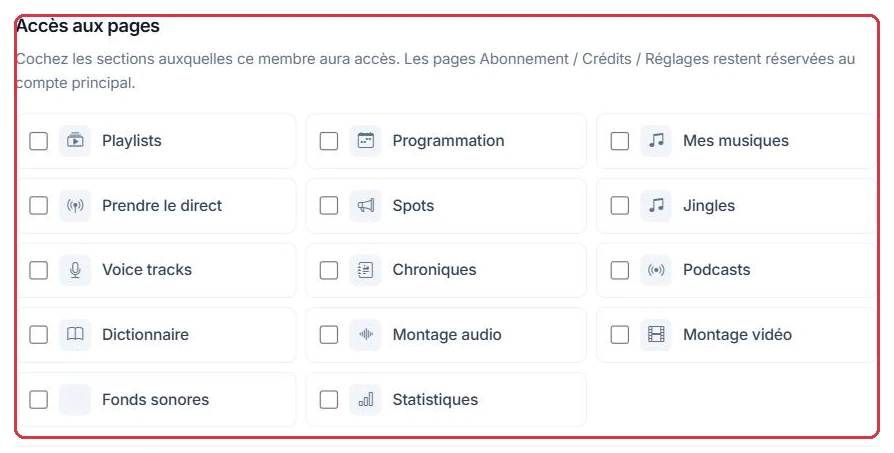
The "Page access" section provides one checkbox per page, with "Check all" and "Uncheck all" buttons.
Upon creation, if the password was generated, it is displayed with a copy button — remember to pass it on to the member.
Example
The account manages two stations. You are creating the presenter for Radio Soleil: they prepare their voice tracks and features, and go on air on Saturdays.
"New member"→Email filled in, password left blank→Station "Radio Soleil" checked→4 boxes in "Page access"
Boxes to check: Voice tracks, Chroniques, Prendre le direct, Dictionnaire.
Why: a blank password means automatic generation and delivery by email — no need to invent one. And explicitly checking a station is essential: with no box checked, the member would see both stations on the account.
First name, last name, email and password — left blank, it is generated and sent by email Click to enlarge The stations the member will have access to, or "All stations" Click to enlarge
The 14 assignable permissions
You can grant access to these 14 pages:
Playlists
Programmation
Mes musiques
Prendre le direct
Spots
Jingles
Voice tracks
Chroniques
Podcasts
Dictionnaire
Montage audio
Montage vidéo
Fonds sonores
Statistiques
Example
The music director of Radio Soleil builds playlists and schedules the grid, without touching spoken content. Check exactly 5 boxes:
Why: "Mes musiques" lets them import tracks, "Fonds sonores" lets them manage music beds. Without "Programmation", they could build playlists but never place them in the schedule — this is the most common oversight.
Example
The advertising team at Radio Soleil produces spots for advertisers and reports on airplay. Four boxes are enough:
SpotsMontage audioMontage vidéoStatistiques
Why: "Statistiques" gives them the data to justify a campaign to an advertiser. By leaving "Playlists" and "Programmation" unchecked, scheduling spots on air remains in your hands.
Good to know: a sub-user never has access to Subscription, Credits, Settings or Team — these pages are reserved for the main account, as are "Configure my station" and "Smart speaker". They inherit the parent\'s subscription.
Good to know: some pages have no dedicated checkbox and follow a menu rule. As soon as the account has a station, a member sees the "Live" section ("Prendre le direct" according to the "Prendre le direct" checkbox, but "Mes animateurs" unconditionally) and the "Tools" section with its unprotected entries: "Voix animateurs", "Dédicaces", "Top 10", "VestaSync", "Kit média" and "Stockage". Other Tools entries follow a related checkbox: "Le Top radio" with "Playlists" or "Mes musiques", "Traitement du son" with "Mes musiques", "Exports" with "Montage audio" or "Montage vidéo", "Relais de flux" with "Programmation". In Production, "Sources FTP" and "Animateur IA" appear with any checkbox in the section, and "Chronique IA Auto" follows the "Chroniques" checkbox. The "Web broadcasting" section (Radio player, App, Radio website, Directory) is visible to all members; "Monetisation", "Smart speaker" and "Configure my station" remain reserved for the main account.
The 14 checkable sections; Subscription, Credits and Settings remain with the main account Click to enlarge The "Check all" and "Uncheck all" shortcuts Click to enlarge
Monitoring your team
The members table displays: Member, Email, Access (X/14 pages), Last login and Actions (edit, delete).
The "Recent activity" section keeps a log of the last 30 days.
Example
The three members of Radio Soleil have been created. The "Access" column lets you check each profile at a glance:
the presenter — Access 4/14;
the music director — Access 5/14;
the advertising team — Access 4/14.
Why: an unexpected number signals a box checked by mistake. And a "Last login" column that remains empty several days after creation almost always means the invitation email was not received: edit the member to regenerate a password for them.