
"Going Live" allows you to broadcast in real time on your station: hosted shows, interviews, events, and more. Broadcasting does not take place through a web studio, but via a dedicated external application, "Vestalive", which you install on your computer and which connects to the streaming server (Icecast).
You will find this page in the Live > Going Live menu. It requires the "live" permission and an installed radio station.
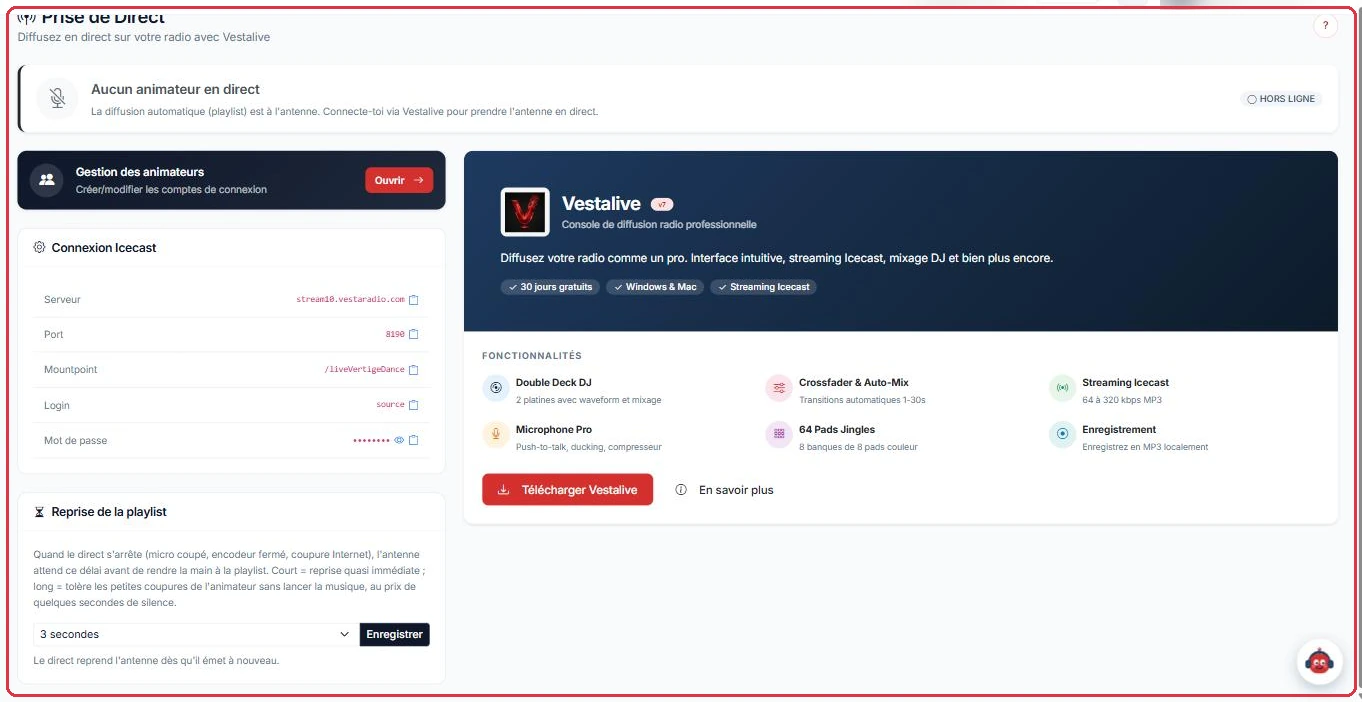
At the top of the page, a "Who is on air?" banner shows the real-time status of your station:
This banner updates automatically every 10 seconds.
Marc needs to take over Radio Soleil at 9:00 PM. He opens the page at 8:55 PM and checks the banner before connecting.
Why this matters: the banner can take up to 10 seconds to switch — this is not a fault. And if it already showed "ON AIR" with another name, Marc would know a colleague is still on air: only one presenter can broadcast at a time.

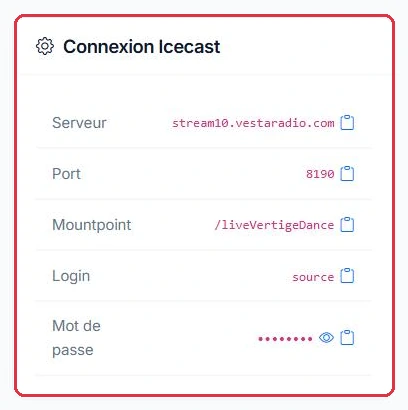
The "Icecast Connection" card contains all the parameters you need to enter in Vestalive:
stream10.vestaradio.com).8190).source).Here is the card as read by Radio Soleil, whose station name is radiosoleil. These five values are fictitious: always copy the ones displayed on your own page.
stream10.vestaradio.com8190/liveradiosoleil — this is /live joined directly to the station name, with no space or hyphensource•••••••• — click the eye icon to reveal it, then the clipboard icon to copy itWhy this matters: each field has a copy button, and using it is the safest way to transfer the values into Vestalive. The mountpoint is the most common source of error: forgetting the /live prefix, or inserting a space between /live and the station name, will cause the connection to fail without a clear error message.
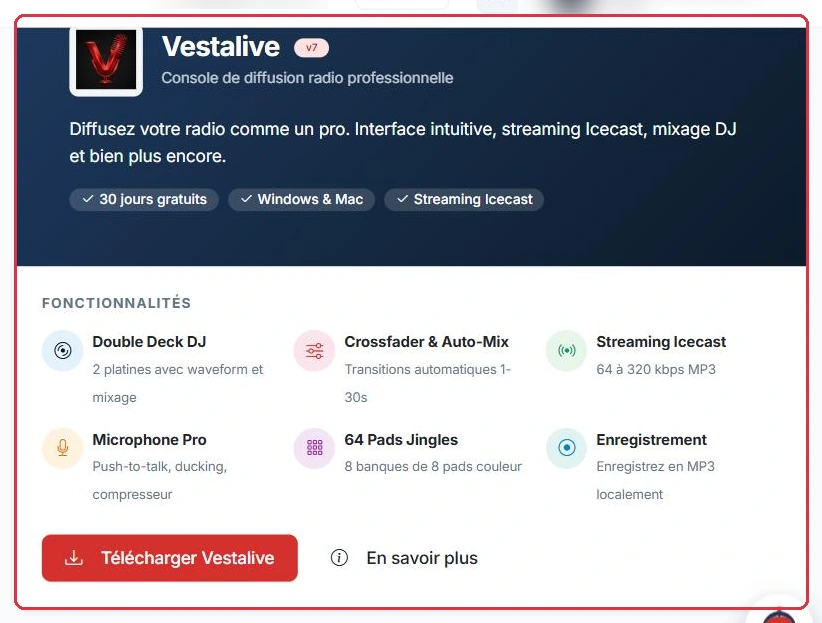
The "Vestalive" section ("Professional radio broadcasting console") carries a "30 days free" badge: the software can be tried at no cost for one month. It highlights its features — Double Deck DJ (2 decks with waveform display and mixing), Crossfader & Auto-Mix (automatic transitions from 1 to 30 s), Icecast streaming from 64 to 320 kbps MP3, push-to-talk microphone with ducking and compressor, 64 jingle pads (8 banks of 8 colour-coded pads), local MP3 recording — and offers two buttons: "Download Vestalive" to get the software, and "Learn more" to access its documentation. Once Vestalive is installed, enter the parameters from the "Icecast Connection" card and start your broadcast.
A quick link to "My Presenters" is also available to manage your DJs' login accounts.
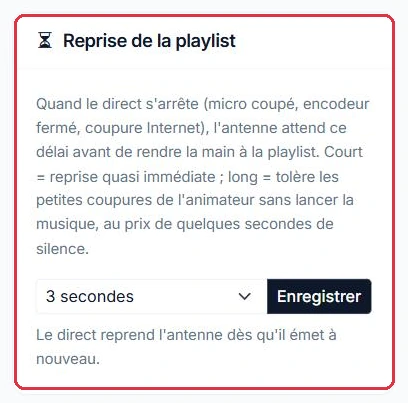
The "Playlist Resume" card, further down the same page, sets how long the station waits before handing back to the playlist when the live broadcast stops. Radio Soleil adjusts it depending on the evening\'s show:
3 seconds, the default value. If the encoder drops, the music resumes immediately.15 seconds.30 seconds.The menu offers 1, 2, 3, 5, 8, 10, 15, 20, 30, 45 and 60 seconds; confirm with "Save".
Why this matters: a short delay resumes quickly but triggers the music at the first micro-dropout. A long delay tolerates interruptions, at the cost of a few seconds of silence on air. On a 4G connection, silence is preferable to the playlist starting in the middle of an interview.
Below the "Icecast Connection" card, the "Playlist Resume" card sets how long the station waits before taking back control when your live broadcast stops — microphone cut, encoder closed, or internet outage.
Select the value from the list, then click "Save". The live broadcast reclaims the air as soon as it transmits again, with no further action required.
Radio Soleil airs an interview show on Saturday mornings, with a presenter who frequently mutes the microphone between questions.
For the rest of the week, during continuous music mixes, they switch back to a short delay.
Why this matters: too short a delay on a talk show restarts the playlist mid-interview; too long a delay on a music mix leaves silence on air the moment the encoder stutters.
The "Live Sound Processing" card explains what the platform does by default: "By default, we equalise the level of your live broadcast to match that of the playlist." This prevents a presenter from coming in too quietly, or too loudly, after a track.
If your encoder already applies processing — Stereo Tool, a hardware processor, a software compressor — "the two stack on top of each other: the sound 'pumps' and your dynamics are crushed". In that case, tick the box "My encoder already processes the sound — broadcast my live feed without processing": your stream will pass through as-is.
Studio Nova broadcasts its live shows through a desk routed via a hardware processor, and listeners are complaining of a sound that "breathes" whenever the presenter speaks.
Why this matters: two compressors in series fight over the same signal. Only one should control the level — yours, if you have one. Perform the restart outside of a show: it will take the station off air for a few seconds.
Going live does not use any AI credits: broadcasting is free. Credits are only used for AI-generated content.