This page helps you get your radio listed in the major directories and listening apps: TuneIn, Online Radio Box, Streema, myTuner Radio, Radio Garden, Radio.net, Deezer, and many more.
You can find it in the "Web Broadcasting › Webradio Directory" menu, at /dashboard/annuaire.
The page itself summarises the benefits of being listed:
More listeners: your radio becomes playable directly from major apps (TuneIn, myTuner…).
Better Google visibility: directories create public listings that link back to your radio.
Worldwide presence across major directories, in a single step.
We handle everything: listings prepared from your details, then tracked in real time.
Good to know:
There is one hard prerequisite: your radio must be configured and active. Otherwise the page displays "Radio not configured" with a "Configure my radio" button, and nothing else is accessible.
The technical links and what they are for
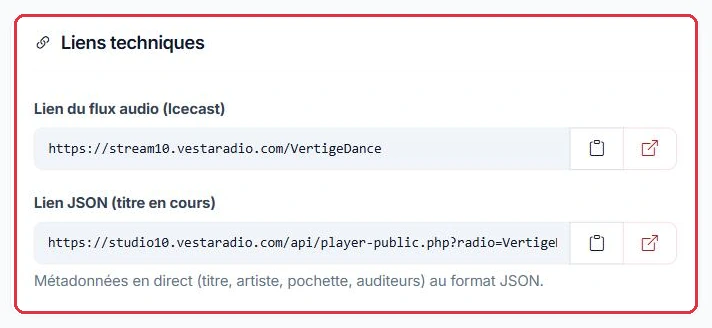
The "Technical links" block is visible immediately, without purchasing anything. It contains two addresses, each with a copy button and an open button:
"Audio stream link (Icecast)" — the address of your stream. This is the piece of information every directory will ask for: it is what allows a listening app to play your station. Without it, no submission is possible.
"JSON link (now playing)" — described on the page as "Live metadata (title, artist, artwork, listeners) in JSON format". Directories and apps use it to display the currently playing track, artist, and artwork alongside your station, rather than a blank listing.
Tip:
Test both links before submitting them anywhere: the open button to the right of each field shows you exactly what the directory will see. A stream that does not start, or an empty JSON response, is the most common reason for rejection.
Example
The check takes two minutes, in a private browsing window.
Audio stream link (Icecast): audio should start within a few seconds. If it takes too long, or nothing plays at all, the directory will conclude that the station is dead.
JSON link (now playing): you should be able to read the title and artist currently on air. An empty JSON response produces a blank listing, with no artwork or track title next to your station name.
Why: both links are provided free of charge and do not depend on any purchase. Checking them beforehand avoids a rejection that is otherwise very hard to diagnose.
The Icecast stream link and the live metadata JSON link Click to enlarge
Submitting to directories yourself
There is no obligation to use the paid pack. The two technical links above are provided free of charge and are all you need to register your station yourself: each directory has its own submission form where you paste your stream URL, upload your logo, and enter your station description.
What this involves on your end:
finding the registration form for each directory, one by one;
creating an account on those that require one (TuneIn, Online Radio Box, myTuner Radio, Radioline… all work with broadcaster accounts);
completing the CAPTCHA and anti-bot checks on certain sites;
emailing those that have no submission form;
re-entering the same information each time, then following up with those that do not respond.
The paid pack does nothing more than take this work off your hands, across all targeted directories, with visible progress tracking.
Example
Radio Soleil tries three directories on its own, one Saturday afternoon.
TuneIn: broadcaster account to create→Online Radio Box: account then validation→Radio Garden: simple form
The same listing must be re-entered three times: name, description, logo, stream URL, country, city, language. Then you need to follow up with those that do not respond.
Why: the process is free and perfectly doable, but it takes hours and follow-up emails. Prepare your listing once, properly, before you start — you will be copying it everywhere.
The directory listing pack
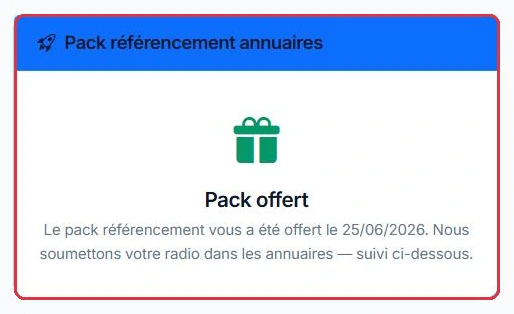
The "Directory listing pack" block, at the top of the right-hand column, shows the price: €49, as a one-off payment, no subscription.
The page shows the exact number of directories targeted and displays a preview of the main ones, under the heading "Your listings on, among others". The "List my radio — €49" button launches payment by credit card, on a secure page.
Once payment is confirmed, the page displays "Thank you! Your listing pack has been validated. We are now submitting to directories" and the block becomes "Pack active", showing the validation date. If the pack was provided to you by the team at no charge, the label shown is "Complimentary pack".
Good to know:
The information form and the submission tracker only appear after the pack has been ordered. The page makes this clear before purchase: "You will fill in your radio\'s details right after ordering." It is perfectly normal not to see these blocks until a payment has been made.
The listing pack card, in the top right Click to enlarge
The information required by directories
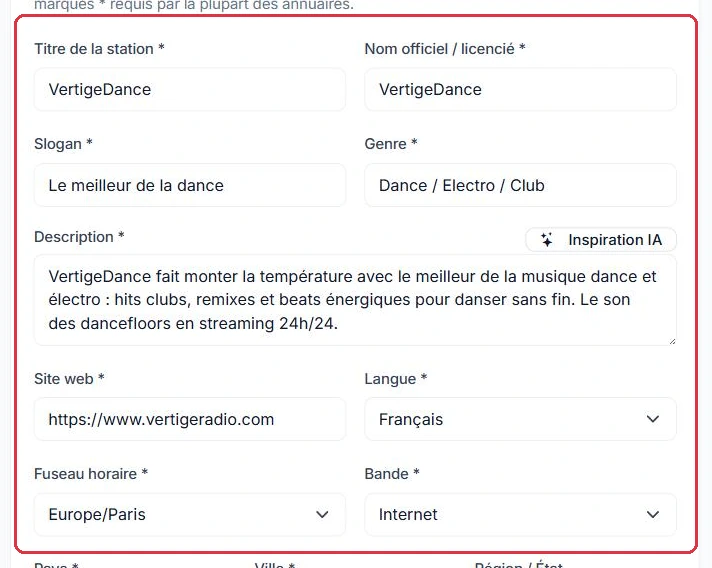
After ordering, the "Listing information" block appears. It states: "This information is used to submit your radio to directories. Fields marked * are required by most directories."
The starred fields are therefore the ones directories ask for:
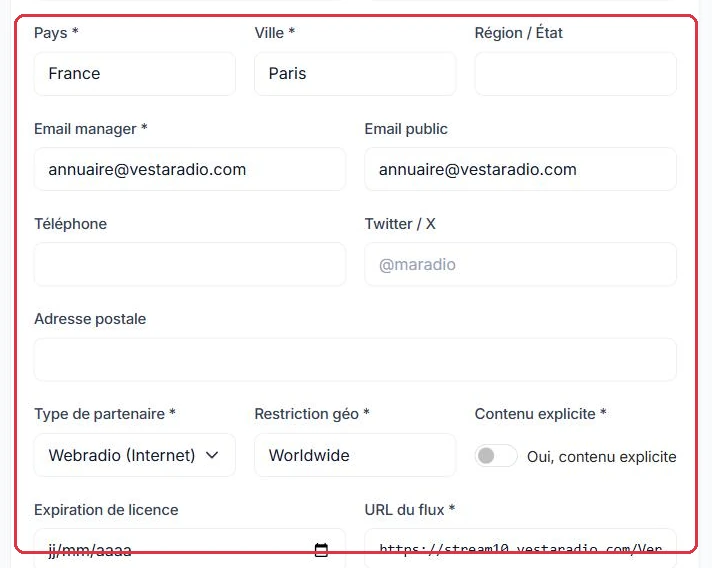
Classification: "Partner type" ("Webradio (Internet)" or "AM/FM Radio"), "Geo restriction" ("Worldwide" by default), and "Explicit content".
Licence (optional): "Licence (ID)" — your SACEM or licence number — and "Licence expiry", which some directories require from stations declaring an FM/AM band.
Stream: "Stream URL", "Media type" (MP3, AAC, AAC+, or OGG), and "Bitrate (kbps)", pre-filled at 128.
Most of these fields are pre-filled from your radio and account details: name, genre, description, website, time zone, email, and stream URL. The "Save information" button submits the form, and the message "Listing information saved!" confirms it has been stored.
Tip:
The "AI inspiration" button, next to the "Description" field, reads your website and suggests a text you can then edit. It uses no credits. A well-crafted description is what separates an accepted listing from one that gets ignored.
Example
A sample listing for Ambiance FM, ready to submit:
"Station title": Ambiance FM — the name as it should appear in the app, not the stream identifier.
"Tagline": The music that accompanies your day.
"Genre": Pop — "Language": French — "Country": France — "City": Bordeaux.
A description that works: "Ambiance FM is a Bordeaux-based webradio broadcasting French and international pop from the 1990s to today, 24/7, with a daily morning show and a weekly culture slot every Friday."
By contrast, "the best radio on the web, tune in!" says nothing about the country, the style, or what listeners will actually hear.
Why: a directory moderator does not know your station and will not listen to it. They classify based on what they read: genre, language, city, content.
Title, tagline, genre, description, website and language Click to enlarge Country, city, emails, partner type and stream URL Click to enlarge
The logo and cover image
Two visuals accompany your listing:
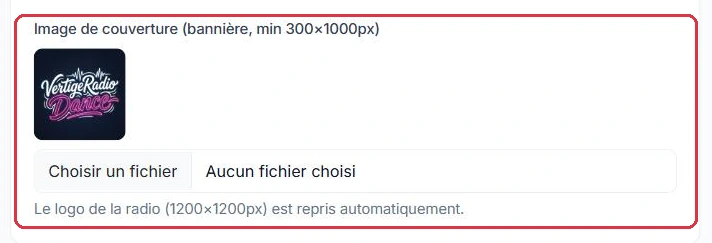
the radio logo (1200×1200 px) is pulled in automatically — no action required;
the "Cover image (banner, min 300×1000 px)" must be uploaded by you, in PNG, JPEG, or WEBP format.
Once uploaded, the banner is displayed as a preview above the field.
Good to know:
A file in any format other than PNG, JPEG, or WEBP is silently ignored: the rest of the form is saved, but the image is not. If the preview does not appear after saving, the file format is the cause.
Example
You upload your banner, save the form, and the preview does not appear.
banner.gif or banner.avif: ignored, with no error message. The rest of the form has been saved correctly.
The same image re-exported as banner.png, respecting the minimum size shown below the field ("min 300×1000 px"): the preview appears above the field.
The square radio logo (1200×1200 px) is pulled in automatically — there is nothing to re-upload here.
Why: the preview appearing is the only confirmation you will get. Without this check, your listing is submitted with no cover image.
The cover image; the square logo is pulled in automatically Click to enlarge The "Save information" button, at the bottom of the form Click to enlarge
Submission tracking
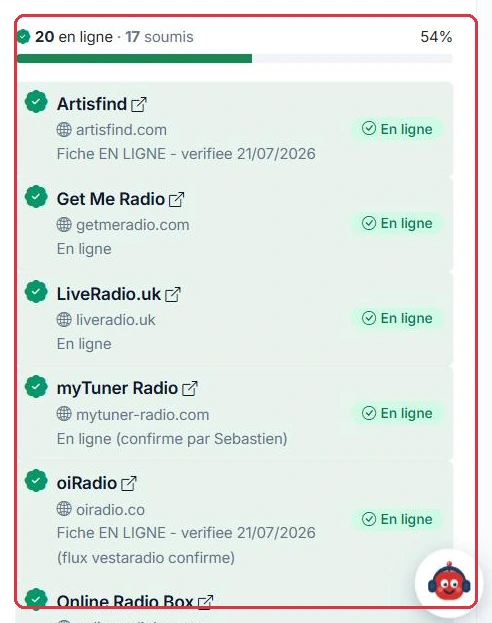
The "Submission tracking" block, also visible after ordering, shows progress directory by directory, with a progress bar and the number of listings marked "live" and "submitted".
Each directory carries a status:
"Pending" — not yet processed.
"Submitted" — the application has been sent; the ball is now in the directory\'s court.
"Live" — the listing is published. It is highlighted, and the name becomes a direct link to your public listing.
"Rejected" — the submission was unsuccessful; the reason is shown as a note when one is available.
As long as a directory is "Pending", it does not appear in your list: only directories that have actually progressed (submitted, live, or rejected) are shown. Your list therefore fills up gradually as work is carried out.
Good to know:
Timescales depend entirely on the directories, not on VestaRadio: some publish within a few days, while others require a much longer manual review. A counter that has not moved for several days is perfectly normal.
Example
A directory moves to "Rejected", with a note such as "stream unreachable". The steps to follow are always the same.
Read the rejection note→Open the stream link to check it→Fix the listing and save→Notify support
The most common reasons: stream was down at the time of the check, description too short or too promotional, city or country missing, banner absent.
Why: a rejection does not retry itself. Fix what the note flags first — otherwise the new submission will hit exactly the same wall.
Directory-by-directory tracking, with status and verification date Click to enlarge