
The Weekly Top 10 generates a complete chart show (intro, track presentations, outro) based on your listeners' votes (like / dislike via the player).
You will find this page in the Tools > Weekly Top 10 menu. It is accessible to any logged-in account.

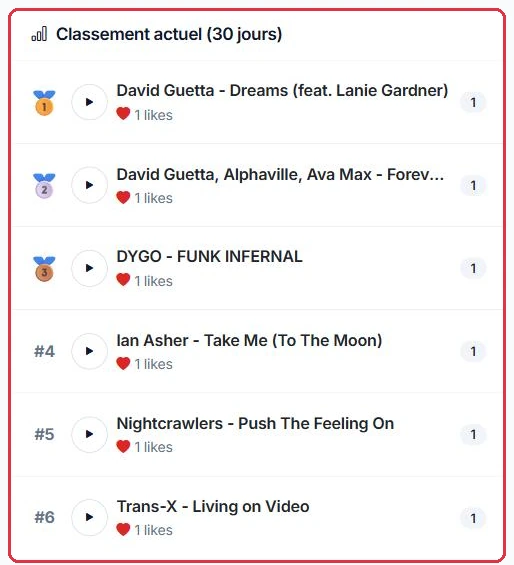
The "Current chart (30 days)" section is calculated from votes: the score = likes − dislikes, to determine the top 10 (jingles are excluded). A minimum of 3 tracks is required before a generation can be launched.
A voice must be configured to generate the show. The Weekly Top 10 reuses the Dedications voice. If no voice is defined, a message will direct you to "Dedications" or "Presenter Voices" to configure one.

Click "Start generation". The process runs through several steps: analysis, artist information, scripts, voice and mixing.
A preview presents, track by track, the scripts, AI anecdotes and playable audio clips.
The "Validate & create playlist" button then creates the voice tracks and a playlist in "My Playlists", and redirects you to the Playlists section.
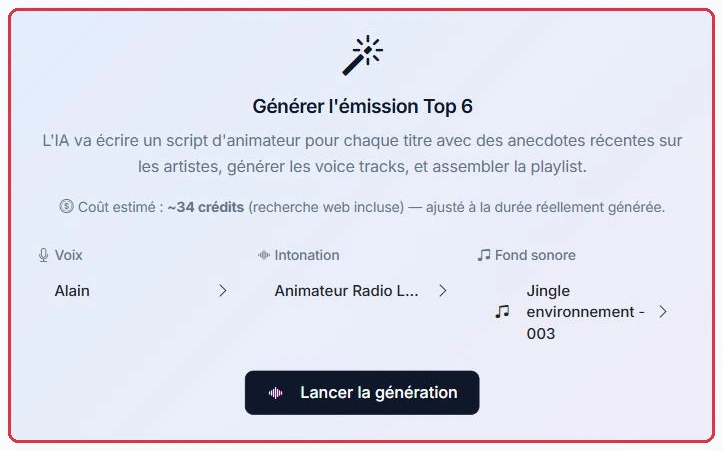
Generating the show relies on AI voice track production. The generation card displays an "Estimated cost: ~n credits (web search included)", calculated based on the number of tracks in the chart and adjusted to the actual duration generated; after validation, the preview indicates the number of credits actually charged. As a reminder, AI credits are used for generation only (1 credit ≈ 3 seconds); broadcasting the show once it has been created is free. See the "AI Credits" tutorial.